


Jotform - Form, Sign & Survey
4.62.26K Reviews
App Specs
- Version
- 3.3.11
- Updated On
- License
- Free
- Downloads
- 1,000,000+
- Developer
- Jotform Inc
- Categories
- Business
- Platform
- Android, iOS
Screenshots
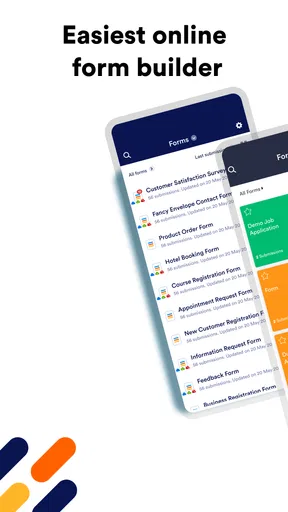
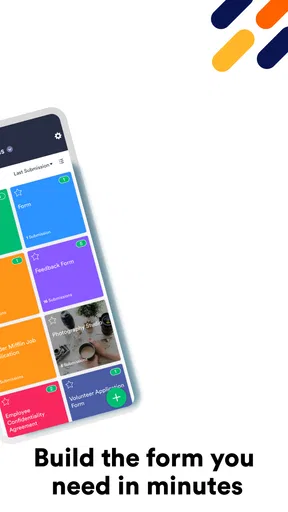
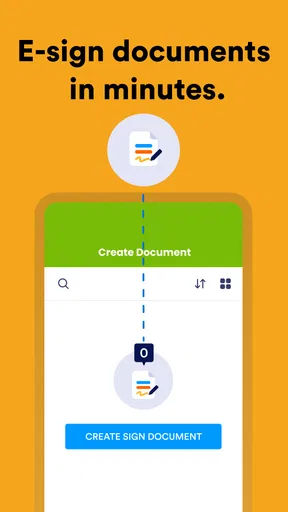
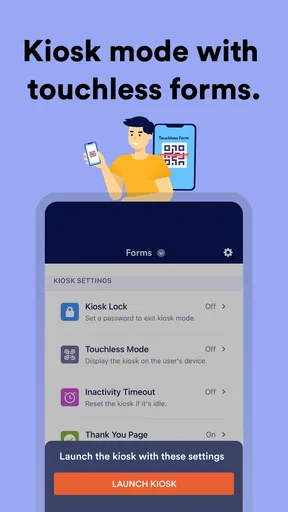
 Analysis by AppCompare
Hey there! So, I've been diving into the world of form-building apps, and I recently stumbled across Jotform - Form, Sign & Survey. Let me tell you, this app is like a Swiss Army knife for anyone who needs to create forms, collect signatures, or even run surveys. Whether you're a small business owner or just trying to organize a family reunion, this app might just be your new best friend.
Choosing a form app for the work you actually do
Before picking any form tool, I’d ask what happens after someone taps Submit. If the answer is “I need a signed document,” or “I have to sort the answers and act on them,” a form builder that also handles signatures and surveys can save some back-and-forth. If you only need a one-off poll for a group chat, a dedicated survey tool—or even a simple message—may be quicker to set up.
That is the main decision point with Jotform: it suits people who expect forms to be part of a repeatable process, rather than a single question with no follow-up. Jotform Inc’s business app brings those tasks together, and its 4.6 average from around 28,000 ratings suggests many users find that combination useful. I’d still judge it by the workflow you need, not by popularity alone.
Getting Started with Jotform
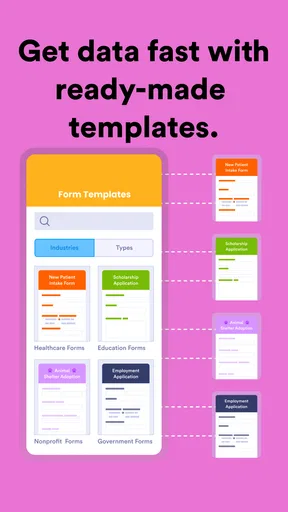
The first thing I noticed when I opened Jotform was how intuitive it is. You don’t need to be a tech guru to get things rolling. The app greets you with a clean interface, and everything you need is pretty much right there in front of you. Creating a form is as easy as pie. You can choose from a plethora of templates, which is super handy if you’re in a hurry or just not feeling creative.
For a practical first project, I’d start with a short intake form rather than trying to recreate a complicated paper process immediately. Ask only for the details you genuinely need, then test the form on a phone as if you were the person filling it in. That small check can reveal awkward wording or unnecessary questions before you share it widely. Templates are a useful starting point, but I’d treat them as drafts: remove fields that don’t fit your situation and make the purpose clear at the top.
Now, if you're like me and love a bit of customization, you'll appreciate the drag-and-drop feature. You can add fields, rearrange things, and even tweak the design to match your brand or mood. It's all about making your form look just the way you want it.
There is a trade-off to that freedom. A form can become harder to finish when every possible detail is requested, so I try to keep the path short and group related questions together. For an event registration, for instance, collect the attendee’s contact details and essential choices first; reserve optional preferences for later or leave them out. A neat-looking form is helpful, but a focused form is more likely to get completed.
Worth Reading Before You Choose

EA SPORTS FC Mobile 26 Is a Bigger Football Game, but It Takes Time

Flipboard Shows What News Apps Must Do Beyond the Feed

Switching to Android Auto Means Rethinking Your Driving Routine

Google Calendar Makes a Crowded Week Easier to Manage

Ludo King Makes the Most of the Minutes Between Plans

Baby Panda World Brings Quick Play to Modern Phones, but Its Game Library Feels Busy
Features That Stand Out
Let’s talk features because this app is loaded. First off, the e-signature feature is a total game changer. You can collect signatures directly through the app, which is perfect for contracts or agreements. It’s super smooth and fast.
That combination can be especially useful for a small team that needs a signed approval without turning every request into a print, scan, and email cycle. I’d use it for a permission form or a straightforward acknowledgement where collecting a signature is part of the same intake process. For high-stakes legal work, though, I’d first make sure the signing workflow meets the organization’s own requirements; convenience alone is not a substitute for checking the rules that apply to a document.
Then there’s the survey creation aspect. It’s not just about forms here. If you need to gather feedback or conduct a poll, Jotform has got you covered. The analytics are pretty robust too, so you can easily track responses and get insights.
For useful feedback, I’ve found it helps to decide in advance what answer would change a decision. If you are asking customers about a service, one clear rating question followed by an optional comment can be more actionable than a long list of broad questions. On the other hand, if you need to explore a topic in depth, a form may not replace a conversation. The app is best when responses can be collected consistently and reviewed as a group.
One of my favorite perks is the integrations. Jotform plays nice with a ton of other apps like Google Drive, Dropbox, and Mailchimp. This means you can automatically send your form responses to other platforms you’re already using. It’s all about making life easier, right?
I’d set up an integration only after the form itself is stable. A useful workflow is to submit a test response and check that the information lands where you expect, with the right fields mapped to the right place. This is easy to overlook when a form changes: renaming or rearranging questions can affect how a connected process is understood by whoever receives the data. Integrations reduce copying, but they also make it worth being deliberate about access and where responses are stored.
Ease of Use
Using Jotform is a breeze. The user experience is seamless, and there’s a friendly little help section if you ever get stuck. But honestly, everything’s so straightforward, you probably won’t need it.
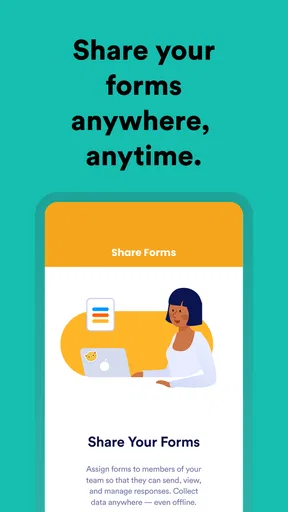
The mobile angle matters most when the person creating a form is also out in the field. Imagine a community organizer checking people in at a local event: a kiosk-style setup can keep a shared device focused on collecting entries, instead of handing it around with unrelated screens open. That is a more controlled approach than asking each visitor to find a link in a message, especially when a steady queue makes quick, repeatable entry important.
Still, I wouldn’t assume that every form is equally comfortable to build or review on a phone. A long questionnaire with lots of branching decisions is easier to plan carefully on a larger screen, while a short edit or a quick check is a natural fit for mobile. My practical split would be to design and proofread the more involved form at a desk, then use the app when I need to monitor or handle it away from one.
Navigation is smooth, and the app doesn’t lag or crash, which is always a plus. You can save your progress at any time, so if life calls you away, you can pick up right where you left off. It’s like having a trusty sidekick in your pocket.
Who benefits—and who may be happier elsewhere
I’d recommend it most to freelancers, small businesses, clubs, and organizers who repeatedly collect the same kinds of information. A consultant could use one workflow for new-client details and signed acknowledgements; a volunteer coordinator could gather availability before arranging shifts; a small shop could collect feedback after a service. The value grows when a form becomes a dependable step in work that otherwise involves chasing people or retyping answers.
Someone who only needs a basic contact form on a website may be better served by the form feature already built into their site. Likewise, teams whose work revolves around complex customer databases may prefer a dedicated business platform, while researchers needing advanced study design may want a specialist survey product. Those alternatives can be a better fit if the form is only one small part of a much larger system. Jotform makes more sense when you want a practical bridge between collecting answers, requesting a signature, and routing information onward.
Pricing and Accessibility
So, let’s chat about the moolah. Jotform offers a free version, which is pretty generous. You get a decent amount of forms, submissions, and storage. But if you’re looking to go big, they have various tiers of paid plans that unlock more features. It’s flexible and caters to different needs and budgets.
The app is free to download, and optional in-app purchases range from about $40 to $1,000 per item. I’d begin with the free option and map out the actual volume of forms, responses, and storage your routine requires before committing to a paid tier. That makes it easier to spot whether an upgrade solves a real bottleneck or merely adds capacity you may not use. The app has more than a million installs, but that alone doesn’t tell you whether its paid features are worthwhile for your workload.
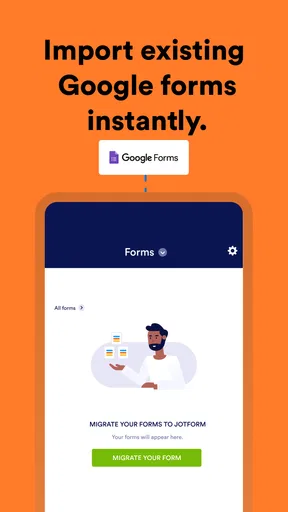
One cost that is easy to miss is the effort of moving an established process. If you already collect information elsewhere, changing tools means rebuilding questions, checking how responses are handled, and letting people know where to submit. I would pilot one low-risk form first, compare the new process with the old one, and only then move forms that benefit from signatures, kiosk collection, or connected workflows. That gradual approach avoids disrupting a routine just to try a different interface.
The app is available on both Android and iOS, which is great because you can access your forms on the go, whether you’re an Apple aficionado or a Google guru. And the sync feature ensures that your data is always up-to-date across all devices.
Jotform is rated for Everyone, and the current version is 2.13.2; it was released on June 16, 2019, and supports Android 7.0 or later. Those details make it accessible to a broad range of Android users, though I’d still check that the device used for a shared kiosk is suitable for the people and setting involved. A public-facing device should be positioned and supervised sensibly, and the form should ask only for information needed to complete the task.
Final Thoughts
Overall, Jotform - Form, Sign & Survey is a solid app that delivers on its promises. It’s easy to use, packed with features, and versatile enough for a variety of uses. Whether you’re organizing an event, conducting research, or managing paperwork, this app makes it all seem like a walk in the park.
My clearest recommendation is to choose it when the work benefits from joining form creation with signatures, feedback, or a repeatable collection routine. Before sharing anything, test the whole path—from filling out the form to reviewing a response and checking any connected destination. That quick rehearsal answers the practical questions that matter: whether the form is comfortable to complete, whether the information is easy to interpret, and whether the handoff fits your day-to-day process.
If you’re looking for a reliable form builder with a bit of flair, give Jotform a whirl. You might just find it’s exactly what you’ve been missing. Happy form building!
Pros
- Intuitive interface for easy form creation.
- Wide variety of customizable templates.
- Integrates with numerous third-party apps.
- Real-time response notifications.
- Offline form functionality available.
Cons
- Some advanced features are paid.
- Limited customization on free version.
- Requires internet for most features.
- Occasional sync delays with integrations.
- Complex forms can be slow to load.
FAQs for Jotform - Form, Sign & Survey
What is Jotform, and how can it benefit me?
Jotform is a versatile app designed for creating forms, surveys, and e-signatures with ease. It's beneficial for businesses, educators, and individuals who need a seamless way to collect information, feedback, or signatures. With its user-friendly interface and extensive customization options, you can create professional-grade forms without needing technical expertise.
Is Jotform free to use, or are there any costs involved?
Jotform offers a free version with basic features suitable for small projects or personal use. However, for advanced functionalities like more form submissions, storage, and integrations, Jotform has various subscription plans. These plans are tiered to cater to different needs, so you can choose one that fits your requirements and budget.
How secure is the data collected through Jotform?
Jotform takes data security seriously, employing encryption and security measures to protect user information. The app complies with GDPR and other privacy regulations, ensuring that data is stored securely. Additionally, users can enable extra layers of security, such as password protection and HIPAA compliance, for sensitive data.
Can Jotform integrate with other apps and services?
Yes, Jotform supports integration with numerous third-party applications and services, including Google Sheets, Dropbox, PayPal, and more. These integrations allow for seamless data transfer and automation, enhancing productivity and workflow efficiency. Users can connect Jotform to the tools they already use to streamline processes.
Is Jotform suitable for mobile use, and does it support offline functionality?
Jotform is optimized for mobile devices, allowing users to create and manage forms on the go. The app supports offline functionality, enabling users to fill out forms without an internet connection. Once a connection is reestablished, the app automatically syncs the data, ensuring no information is lost.


